Technology News

The Great Megapixel Myth: Why More Isn’t Always Better

The Great Megapixel Myth: Why More Isn’t Always Better

“`html


We Don’t Need More Megapixels: We Need Better Eyes

The Great Megapixel Myth: Why More Isn’t Always Better

In the early 2000s, the “Megapixel War” was the primary driver of the digital camera industry. Every year, manufacturers would boast a jump from 3MP to 5MP, then 8MP to 12MP. For a while, this growth was necessary. Early digital sensors lacked the resolution to produce even a standard 4×6 print without visible pixelation. However, we have long since passed the point of utility. Today, we see smartphones sporting 108-megapixel and even 200-megapixel sensors.

But here is the hard truth: a 200-megapixel smartphone sensor often produces a lower-quality image than a 12-megapixel professional DSLR. The obsession with “more” has blinded consumers to what actually makes an image beautiful. We don’t need more megapixels; we need better sensors, better glass, and most importantly, better “eyes” to perceive and capture the world around us.

Understanding the Physics: It’s About the Light, Not the Count

To understand why megapixels aren’t the ultimate metric, we have to look at the physics of a digital sensor. A sensor is essentially an array of “photosites” or “buckets” that catch light. When you cram 200 million buckets onto a sensor the size of a fingernail, those buckets have to be microscopic.

The Problem with Tiny Pixels

  • Noise and Grain: Smaller pixels have a smaller surface area to collect photons. In low-light conditions, these tiny pixels struggle to distinguish between actual light and electronic background noise, resulting in grainy, “muddy” photos.
  • Dynamic Range: Larger pixels can hold more “data” before they overflow (clip to white). This allows for a better range between the brightest highlights and the darkest shadows.
  • Diffraction Limits: Due to the properties of light, as you shrink pixels, you eventually hit the “diffraction limit.” At this point, the lens cannot physically focus light sharply enough to hit a single pixel, making the extra resolution redundant.

The Optical Reality: Glass Over Silicon

A camera is only as good as its lens. You could have a billion-pixel sensor, but if you are shooting through a tiny, plastic lens found in most smartphones, the “resolving power” isn’t there. High-resolution sensors often outpace the ability of the lens to deliver sharp detail. This is why professional photographers invest thousands of dollars in “prime” lenses while keeping their camera bodies for years.

When we talk about needing “better eyes,” we are talking about optical quality. Quality glass reduces chromatic aberration (color fringing), distortion, and lens flare. It provides a natural “bokeh” or background blur that software-based portrait modes still struggle to emulate perfectly. Improving the physical optics of our devices is far more beneficial than increasing the pixel count on the silicon chip behind them.

Computational Photography: The Rise of “Smarter” Eyes

If megapixels aren’t the answer, why do modern smartphones still take such great photos? The answer lies in computational photography. Companies like Google, Apple, and Samsung have realized that rather than fighting the physics of tiny sensors, they can use AI and machine learning to bridge the gap.

The Innovation of Pixel Binning

Many of those 108MP sensors don’t actually output 108MP images. They use a process called “pixel binning,” where groups of four or nine pixels are combined to act as one large “super-pixel.” This effectively turns a high-resolution sensor into a lower-resolution sensor with better light-gathering capabilities. It is a tacit admission by the industry that fewer, better pixels are superior to many, poor-quality ones.

AI-Driven Enhancements

Modern “eyes” are now digital. HDR (High Dynamic Range) processing takes multiple exposures in a fraction of a second and merges them to ensure the sky isn’t blown out and the shadows aren’t pitch black. This is a form of “better vision” that has nothing to do with resolution and everything to do with intelligent data processing.

The Human Element: Developing Your Own Eyes

The phrase “We Need Better Eyes” doesn’t just apply to hardware; it applies to the photographer. In an age where everyone has a high-tech camera in their pocket, the value of an image has shifted from its technical specs to its artistic merit. A 12-megapixel photo with perfect composition, lighting, and timing will always beat a 200-megapixel photo of a boring subject.

Content Illustration

How to Develop Better “Photographic Eyes”

  • Mastering Light: Understanding the “Golden Hour” and how shadows create depth is more important than any sensor upgrade.
  • Compositional Awareness: Learning the Rule of Thirds, leading lines, and framing helps you see the world as a series of stories rather than just snapshots.
  • Storytelling: A great photo makes the viewer feel something. No amount of megapixels can inject emotion into a sterile image.

The Environmental and Storage Cost of the Megapixel Race

There is a practical downside to the megapixel obsession that is rarely discussed: data. A 108-megapixel RAW file can take up massive amounts of storage space. For the average user, this means:

  • Cloud storage subscriptions fill up faster, leading to higher monthly costs.
  • Slower upload and download times when sharing photos with friends.
  • Faster battery drain as the processor works overtime to manage huge files.

When we prioritize resolution over quality, we create a bloated ecosystem that demands more hardware, more energy, and more money for very little visual gain.

The Future: Where Should Innovation Go?

If we stop chasing megapixels, where should the industry focus? The “better eyes” of the future should prioritize the following:

1. Increased Sensor Size

Instead of cramming more pixels into the same space, manufacturers should work on fitting larger sensors into devices. We are already seeing “1-inch type” sensors appearing in flagship phones, which provides a genuine leap in image quality that megapixels can’t match.

2. Global Shutters and Higher Speed

Better eyes see faster. Sensors that can capture movement without “rolling shutter” distortion would be a massive boon for action and video photography.

3. True Optical Zoom

Digital zoom is just cropping, which loses detail. Developing periscope lenses and moving optical elements within slim devices provides “eyes” that can see further without sacrificing clarity.

Conclusion: Quality Over Quantity

The marketing departments of major tech firms will continue to use high numbers to sell devices. It is an easy metric for the average consumer to understand. However, as we move deeper into the 2020s, it is time for us to become more discerning consumers. We must recognize that the quality of an image is determined by the harmony of light, optics, sensor size, and human creativity.

A “better eye” sees the nuance in a shadow; it captures the glint in a subject’s pupil; it preserves the texture of a landscape. None of these things require 200 megapixels. They require better engineering and a more thoughtful approach to the art of seeing. Let’s stop counting pixels and start making every pixel count.

“`
External Reference: Technology News

How to Build an Effective Technology News Strategy

How to Build an Effective Technology News Strategy

How to Build an Effective Technology News Strategy

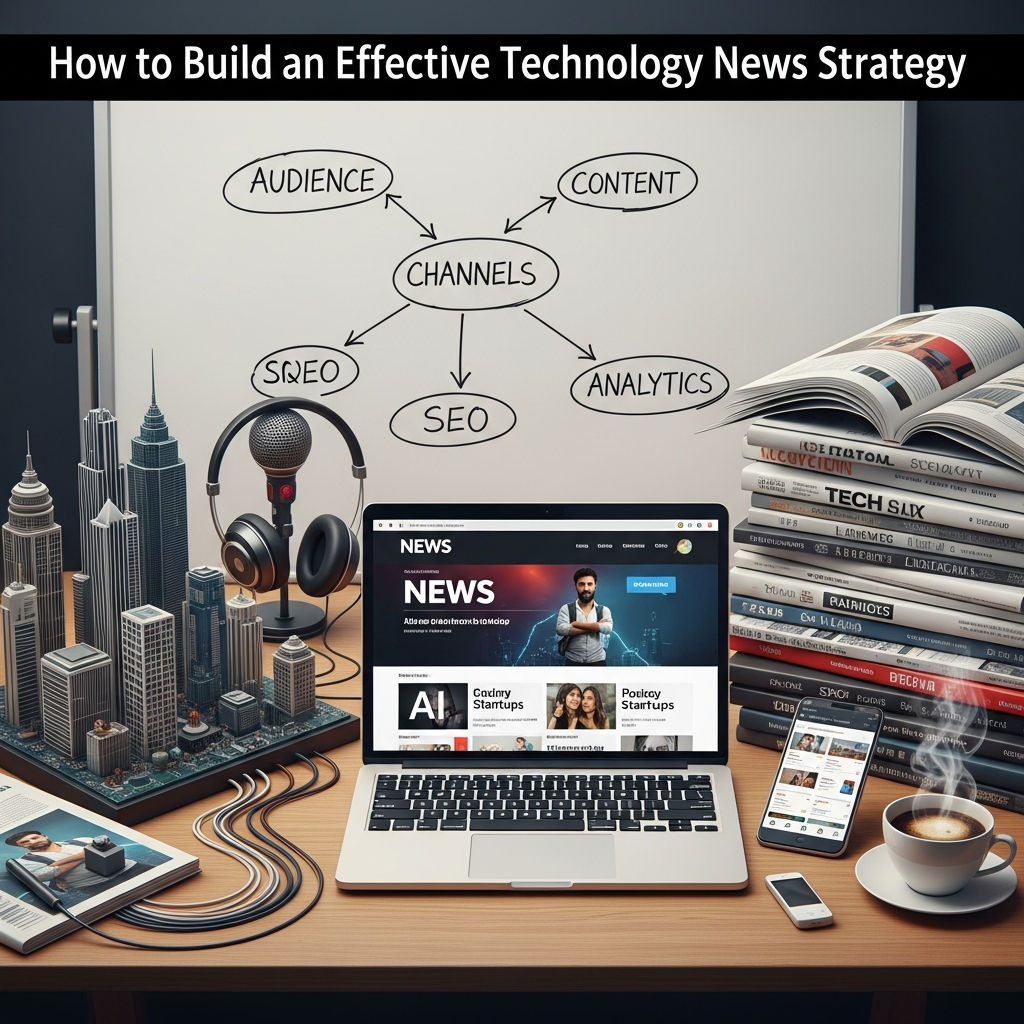
In an era where digital transformation dictates the pace of global business, staying informed isn’t just a hobby—it’s a competitive necessity. However, the sheer volume of information generated every second can lead to “infobesity,” where the noise outweighs the signal. Building an effective technology news strategy allows individuals and organizations to filter the chaos, identify emerging trends, and make data-driven decisions that foster innovation.

Whether you are a CTO looking to future-proof your infrastructure, a marketer tracking consumer shifts, or an entrepreneur seeking the next big gap in the market, a structured approach to tech news is essential. This guide explores the foundational steps to building a strategy that turns information into a strategic asset.

Why a Formal News Strategy Matters

Many professionals rely on “passive consumption”—scrolling through social media or glancing at headlines during a coffee break. While this provides a surface-level understanding, it rarely leads to actionable insights. A formal technology news strategy provides several key benefits:

  • Competitive Advantage: Being the first to know about a competitor’s pivot or a new software release gives you the “first-mover” advantage.
  • Risk Mitigation: Early warnings about cybersecurity threats or regulatory changes in AI and data privacy can save millions in potential fines and damages.
  • Innovation Fuel: Exposure to cross-industry tech applications can spark creative solutions for your own business challenges.
  • Efficiency: A strategy reduces time wasted on redundant or low-quality content, allowing you to focus on high-impact information.

Step 1: Define Your Core Objectives

Before diving into sources, you must define what you are looking for. A generic interest in “tech” is too broad. To build an effective strategy, categorize your interests into three main buckets:

Primary Industry Trends

Focus on technologies that directly impact your current business model. If you are in finance, your strategy should prioritize Fintech, blockchain, and regulatory tech (RegTech). If you are in manufacturing, Industry 4.0 and IoT should be your primary focus.

Disruptive Technologies

These are technologies that might not affect you today but could redefine your industry in three to five years. Examples include Generative AI, Quantum Computing, and Synthetic Biology. Tracking these allows for long-term strategic planning.

Operational Technology

This includes tools that improve how you work, regardless of your industry. Updates on project management software, CRM enhancements, and remote work security fall into this category.

Step 2: Curate High-Quality Information Sources

Not all tech news is created equal. To avoid misinformation and “hype cycles,” you need a diversified portfolio of sources. A healthy news diet should include a mix of the following:

  • Major Tech Outlets: Sites like TechCrunch, The Verge, and Wired are excellent for broad industry overviews and breaking news.
  • Niche Newsletters: Newsletters often provide better curation than websites. Look for industry-specific newsletters like TLDR for general tech, Ben’s Bites for AI, or Stratechery for deep-dive business analysis.
  • Primary Research and Academic Journals: For deep technical insights, monitor platforms like ArXiv for AI research or reports from firms like Gartner and Forrester.
  • Social Media & Community Hubs: Platforms like Hacker News, Reddit (r/technology), and specialized X (formerly Twitter) lists provide real-time sentiment and developer perspectives that mainstream media might miss.

Step 3: Leverage Automation and AI Tools

The secret to an effective technology news strategy is automation. You shouldn’t have to go looking for the news; the news should come to you in a pre-filtered format. Here are the tools to make that happen:

RSS Feed Aggregators

Tools like Feedly or Inoreader allow you to pull content from hundreds of websites into a single interface. You can use AI-powered filters within these tools to highlight specific keywords and hide irrelevant “fluff.”

Custom Alerts

Set up Google Alerts or Talkwalker for specific competitors, product names, or emerging terms. This ensures you never miss a mention of a topic critical to your strategy.

Content Illustration

AI Summarization

With the rise of Large Language Models (LLMs), you can now use tools to summarize long whitepapers or hour-long tech podcasts. Use AI to provide “Executive Summaries” of complex technical documents to determine if they warrant a deeper read.

Step 4: Establish a Review Cadence

Information is only valuable if it is processed. An effective strategy requires a dedicated schedule. Consider the following cadence:

  • Daily (15-30 mins): Scan headlines and “breaking news” to ensure immediate threats or opportunities aren’t missed. Focus on your RSS feed and primary newsletters.
  • Weekly (1 hour): Dive deeper into long-form articles, whitepapers, or podcasts. This is the time for “reflective reading” rather than just scanning.
  • Monthly (Strategic Review): Summarize the month’s biggest shifts. How do these developments impact your quarterly goals? Share these insights with your team or stakeholders.

Step 5: Bridge the Gap Between Consumption and Action

A technology news strategy fails if the information remains trapped in your head or your bookmarks folder. You must create a pipeline for “Information to Action.”

The “So What?” Analysis

For every major piece of news, ask: “So what?” If OpenAI releases a new model, what does that mean for your company’s customer service bot? If a new data privacy law passes in Europe, how does that affect your US-based marketing database? Always translate the news into a business implication.

Internal Knowledge Sharing

Create a dedicated Slack or Microsoft Teams channel (e.g., #tech-trends) where team members can share relevant articles. Encourage people to include a one-sentence summary of why the link is relevant to the company. This democratizes the news strategy and fosters a culture of continuous learning.

Centralized Knowledge Base

Use tools like Notion, Obsidian, or Trello to archive the most important insights. Categorize them by topic so that when you eventually start a project on, for example, “Cloud Migration,” you already have a curated library of recent trends and case studies to reference.

Overcoming Information Overload

The biggest challenge to a tech news strategy is the feeling of being overwhelmed. To combat this, remember that it is okay to miss things. You don’t need to read every article. If a story is truly important, it will reappear across multiple sources.

Practice “Just-In-Time” learning versus “Just-In-Case” learning. While you should keep a pulse on the industry (just-in-case), save the deep technical dives for when they are relevant to a project you are actually working on (just-in-time).

Conclusion

In the digital age, your ability to process and act on information is a primary driver of success. By defining your focus, automating your discovery process, and building a culture of sharing, you transform technology news from a source of stress into a powerful strategic engine. Building an effective technology news strategy isn’t about reading more; it’s about reading smarter and ensuring that every headline you consume moves you or your organization one step closer to your goals.

The Physical Toll: Nausea, Neck Pain, and Eye Strain

The Physical Toll: Nausea, Neck Pain, and Eye Strain

“`html


VR Is Not the Future of Work—It’s a Headache-Inducing Nightmare

VR Is Not the Future of Work—It’s a Headache-Inducing Nightmare

For the last few years, tech giants and venture capitalists have been desperate to sell us a vision of the “future of work” that looks like a scene out of a low-budget sci-fi movie. They promise a world where we discard our physical monitors, skip the commute, and meet our colleagues in a lush, 3D digital landscape. They call it the Metaverse, or “Immersive Productivity.”

But for anyone who has actually spent more than twenty minutes with a heavy plastic brick strapped to their face, the reality is far less glamorous. Far from being a revolutionary leap in productivity, VR in the workplace is an ergonomic disaster, a social regression, and—quite literally—a headache-inducing nightmare. Here is why Virtual Reality is not the future of work, but rather a misguided detour that ignores how humans actually function.

The Physical Toll: Nausea, Neck Pain, and Eye Strain

The most immediate argument against VR as a standard work tool is the biological one. Evolution did not design the human body to process two screens an inch away from the eyeballs while the inner ear senses no physical movement. This disconnect leads to “cybersickness,” a form of motion sickness that leaves many users feeling nauseous long after they have taken the headset off.

The Vergence-Accommodation Conflict

In the real world, your eyes focus and converge on objects at the same distance. In VR, your eyes converge on a virtual object that appears distant, but they must focus on a screen that is consistently inches away. This is known as the Vergence-Accommodation Conflict. For a gamer, an hour of this is manageable. For a knowledge worker expected to pull an eight-hour shift, it leads to chronic eye strain, blurred vision, and debilitating migraines.

The Weight of the Future

Then there is the hardware itself. Even the most “lightweight” headsets, like the Meta Quest 3 or the Apple Vision Pro, weigh significantly more than a pair of glasses. Wearing a pound of plastic on your face puts immense pressure on the bridge of the nose, the forehead, and the cervical spine. Proponents suggest we will get used to it, but physical therapists are already seeing a rise in “tech neck” from mobile phones; imagine the long-term musculoskeletal damage caused by a head-mounted display worn 40 hours a week.

The Productivity Paradox: Is It Actually Faster?

The core promise of VR at work is “infinite screen real estate.” Why have two monitors when you can have twenty floating in a 360-degree arc around you? In theory, this sounds like a multitasker’s dream. In practice, it is a logistical mess.

  • The Input Problem: We have perfected the keyboard and mouse over decades. Typing on a virtual keyboard in mid-air is exhausting and inaccurate. Using “pass-through” technology to see your physical keyboard often results in a grainy, laggy experience that hinders more than it helps.
  • Resolution and Readability: While 4K monitors are now standard, VR headsets still struggle with “screen door effect” or text clarity. Reading a complex spreadsheet or coding for hours in VR is an exercise in squinting.
  • Friction: To join a Zoom call, you click a link. To join a VR meeting, you must clear a physical space in your room (to avoid tripping over a cat), charge the headset, boot up the software, adjust the straps, and wait for updates. It adds layers of friction to a workflow that should be seamless.

The Social Uncanny Valley

Remote work already suffers from a lack of human connection. VR advocates claim that avatars bridge this gap by providing “presence.” However, the current state of avatars—even those with eye-tracking and facial expression mimicry—falls squarely into the “uncanny valley.”

There is something inherently dehumanizing about discussing a quarterly budget with a legless, cartoonish torso that has dead eyes and a fixed grin. We lose the subtle micro-expressions, the real eye contact, and the body language cues that make human collaboration effective. Rather than feeling like you are in a room with your team, you feel like you are trapped in a Nintendo Wii game from 2006. This leads to “VR Fatigue,” a psychological exhaustion that far outweighs the “Zoom fatigue” we’ve already grown to hate.

The Isolation Within the Connection

Ironically, VR is the most isolating communication technology ever invented. When you are on a video call, you can still see your coffee cup, look out the window, or notice if your child enters the room. When you put on a VR headset, you are blindfolded to your actual environment.

Content Illustration

For parents, pet owners, or anyone living in a modest apartment, this total sensory deprivation is a non-starter. It creates a feeling of vulnerability and disconnect from the physical world that is stressful, not productive. Work should be a part of our lives, not a digital cage that completely severs our connection to our immediate surroundings.

The Accessibility Barrier

The “future of work” should be inclusive. VR, by its very nature, is exclusionary. A significant portion of the population suffers from vertigo, inner-ear disorders, or visual impairments that make VR unusable. Furthermore, the cost of high-end headsets and the high-speed internet required to run them creates a new digital divide.

Companies that mandate VR meetings are essentially telling employees with certain disabilities or lower socioeconomic status that they are not welcome in the “modern” workplace. A laptop is a universal tool; a VR headset is a specialized peripheral that many people simply cannot use for biological or financial reasons.

Niche Utility vs. Mass Adoption

To be fair, VR has its place. It is a spectacular tool for very specific, high-stakes training. Surgeons practicing a complex procedure, architects walking through a 1:1 scale model of a building, or pilots in flight simulators all benefit immensely from immersive tech. These are tasks that require spatial awareness and last for limited durations.

However, the attempt to force “general office work”—emails, Slack messages, meetings, and data entry—into a 3D environment is a classic case of a solution looking for a problem. We do not need to be in a virtual boardroom to discuss a PDF. The 2D interface is not a limitation; it is an efficient way to process information.

Conclusion: The Future is Flat (And That’s Okay)

The push for VR in the office isn’t coming from workers who want it; it’s coming from hardware manufacturers who need a new market for their products. After the hype of the “Metaverse” cooled, it became clear that most people prefer the simplicity of a laptop and the comfort of their own environment.

The future of work will likely be hybrid, flexible, and digital—but it won’t be immersive. We will continue to value tools that get out of our way, not tools that strap ourselves to a virtual desk and give us a headache. VR is a brilliant gaming platform and a powerful training tool, but as a replacement for the office? It’s a nightmare we’re ready to wake up from.

Key Takeaways:

  • Health Issues: Cybersickness and the Vergence-Accommodation Conflict make long-term VR use physically painful.
  • Poor Ergonomics: The weight of headsets causes neck and back strain that is incompatible with an 8-hour workday.
  • Social Friction: Cartoonish avatars fail to capture the nuances of human communication, leading to increased isolation.
  • Lack of Efficiency: Typing, reading text, and multitasking remain significantly slower in VR than on traditional 2D monitors.

“`

External Reference: Technology News

The Worst Technology of 2024: A Look at the Most Disappointing Innovations

The Worst Technology of 2024: A Look at the Most Disappointing Innovations

In an era where technology is evolving at a rapid pace, it is only natural that some innovations don’t meet expectations. While new technologies have the potential to revolutionize our lives, not all of them succeed in delivering on their promises. In fact, some can even be a disappointment, or worse, a waste of resources. As we step into 2024, there are several technologies that have garnered attention but left consumers and experts questioning their value. In this article, we’ll take a deep dive into some of the worst technologies of 2024, exploring what went wrong and why they failed to impress.

1. Metaverse Hype Fizzles Out

One of the most hyped technologies in recent years was the Metaverse. Initially, it promised to be the next big thing in virtual reality, offering immersive experiences where users could interact with a digital world and each other in innovative ways. Major companies like Meta (formerly Facebook), Microsoft, and others invested billions into developing the Metaverse. However, by 2024, the technology has failed to live up to the exaggerated expectations.

While the Metaverse has its niche in gaming and virtual social spaces, it hasn’t been able to attract mainstream users. The hardware required—such as expensive VR headsets—remains bulky and uncomfortable, and the virtual worlds feel isolated, lacking the widespread adoption needed to make the Metaverse a true, universal platform. Most users still prefer engaging with traditional social media and online services, making the Metaverse seem more like a gimmick than a revolution.

Why It Failed:

  • High cost of VR equipment.
  • Limited user adoption and engagement.
  • Lack of compelling content and real-world applications.
  • Poor user experience with current VR platforms.

2. Artificial Intelligence Chatbots That Miss the Mark

Artificial Intelligence (AI) has made great strides, particularly with natural language processing and machine learning. However, some AI chatbots in 2024 still fail to deliver a satisfactory user experience. Many companies have rolled out AI-driven customer service bots designed to handle queries and assist users. While these bots are improving, they remain limited and often frustrate customers due to their inability to understand complex inquiries or provide personalized responses.

In 2024, AI chatbots are still prone to misunderstandings, providing generic responses that leave users frustrated. Despite the advancements in AI, many businesses have not been able to fully integrate these bots in ways that improve customer experience or efficiency. While some use cases—like simple FAQs—work well, AI chatbots often fall short when handling more intricate or nuanced issues.

Why It Failed:

  • Lack of nuance and personalization in responses.
  • Inability to solve complex issues effectively.
  • Customers prefer human interaction over automated bots for certain tasks.
  • Many bots are still unable to understand natural language fully.

3. Crypto’s Decline and Crypto-Related Scams

Cryptocurrencies once promised to disrupt traditional finance, with Bitcoin and Ethereum at the forefront. However, 2024 marks a turning point, as the volatile nature of cryptocurrencies, combined with scams, fraud, and regulatory crackdowns, has made many question whether crypto is here to stay.

While blockchain technology still holds promise, the speculative frenzy surrounding cryptocurrencies has led to a series of booms and busts, leaving many investors out of pocket. Additionally, the rise of cryptocurrency scams has tainted the reputation of digital currencies. Fake initial coin offerings (ICOs), Ponzi schemes, and ransomware attacks targeting crypto wallets have damaged the trust of both investors and consumers.

Why It Failed:

  • Extreme price volatility leading to unpredictable markets.
  • Increase in fraudulent activities and scams in the crypto space.
  • Lack of regulatory clarity, leading to uncertain legal frameworks.
  • Cryptocurrency doesn’t offer tangible, real-world solutions for many users.

4. 5G Rollout Challenges

When 5G was first introduced, it promised ultra-fast speeds and reliable connections for a wide range of applications, from smart cities to autonomous vehicles. However, in 2024, the reality of 5G has not lived up to the hype. Despite substantial investments from telecom companies, many users still experience slow speeds and limited coverage.

The rollout of 5G networks has faced significant logistical challenges. The technology requires a denser network of cell towers, and areas outside major metropolitan centers continue to struggle with access to 5G networks. In addition, 5G’s high frequency spectrum can only travel short distances, meaning that it struggles with penetration in urban environments with dense buildings. The promises of blazing-fast, universally accessible internet remain largely unfulfilled for many users.

Why It Failed:

  • Slow rollout and limited coverage, especially in rural areas.
  • High infrastructure costs and logistical hurdles.
  • Overhyped promises that didn’t translate into improved user experiences.
  • Inconsistent performance due to technical limitations.

5. Smart Glasses That Are Still a Fad

Smart glasses—particularly those that promise augmented reality (AR) capabilities—have been touted as the next big consumer device. Companies like Google and Apple have ventured into the market, with products like Google Glass and rumors of an Apple AR headset. However, as of 2024, smart glasses have yet to gain widespread adoption, and many have struggled to deliver on their promises.

While smart glasses offer futuristic features, such as real-time translations or hands-free navigation, they still feel like a novelty rather than a necessity. The form factor is bulky, the AR experiences are often underwhelming, and the price points remain far too high for mass adoption. Additionally, the privacy concerns surrounding smart glasses with cameras and microphones have raised alarms for many users.

Why It Failed:

  • Unattractive design and bulkiness of hardware.
  • High cost for what is essentially a niche product.
  • Privacy concerns related to constant recording.
  • Limited real-world use cases that provide significant value.

6. Electric Vehicles That Aren’t Ready for Prime Time

Electric vehicles (EVs) were once heralded as the future of transportation, offering cleaner, more sustainable alternatives to gasoline-powered cars. While EVs have certainly made strides in terms of environmental benefits, the technology still faces a number of barriers in 2024 that prevent widespread adoption.

The most significant problem is the lack of charging infrastructure. Although more charging stations are being built, many regions, particularly rural areas, still lack sufficient infrastructure to support long-distance travel or everyday use of EVs. Additionally, the price of EVs remains high compared to traditional vehicles, and the range anxiety—concerns over battery life and charging times—continues to deter potential buyers.

Why It Failed:

  • Limited charging infrastructure, especially in remote areas.
  • High upfront cost, making EVs inaccessible for many consumers.
  • Concerns about battery life, charging times, and range.
  • Not all consumers are ready to transition from traditional vehicles.

7. NFTs: A Bubble Waiting to Burst

Non-fungible tokens (NFTs) had their moment in the sun, promising a new way for artists, gamers, and creators to monetize their work through blockchain technology. However, as we move through 2024, NFTs have proven to be a bubble that has yet to live up to their transformative potential.

While some early NFT adopters have made substantial profits, the market has been flooded with low-quality digital art and speculative projects that have failed to maintain value. The environmental impact of blockchain technology, high transaction fees, and the lack of understanding about the long-term value of NFTs have caused the hype to fizzle. As more consumers and creators realize the speculative nature of NFTs, interest in them has sharply declined.

Why It Failed:

  • Oversaturation of the market with low-quality or unoriginal NFTs.
  • Environmental concerns and high energy consumption of blockchain.
  • Speculative nature of NFT investment leading to market crashes.
  • Lack of widespread practical applications for NFTs.

Conclusion

While technological advancements in 2024 are undoubtedly exciting, not every innovation has lived up to expectations. From the slow rollout of 5G networks to the decline of the Metaverse, it’s clear that not all technologies are ready to dominate the digital landscape. In many cases, the hype surrounding these technologies exceeded their real-world capabilities, leaving consumers and businesses disappointed. As we move forward, it will be crucial for companies to learn from these failures and refocus their efforts on practical, user-centered innovations that address real-world problems.

The Mouse Is Dying: Why We’re Sacrificing Precision for the Convenience of Touch

The Mouse Is Dying: Why We’re Sacrificing Precision for the Convenience of Touch

The Mouse Is Dying: Why We’re Sacrificing Precision for the Convenience of Touch

For over forty years, the computer mouse has been the undisputed king of human-computer interaction. From the moment Doug Engelbart debuted the “X-Y Position Indicator for a Display System” in 1968, the mouse provided something revolutionary: a bridge between human intent and digital execution with sub-pixel precision. However, as we move deeper into the era of mobile-first design and tablet computing, the mouse is being pushed to the periphery. We are witnessing the slow death of the mouse, and in our rush toward the intuitive ease of touch, we are losing the very precision that built the modern digital world.

The Shift from High-Fidelity Control to “Good Enough” Interaction

The rise of the touch interface—pioneered by the smartphone and solidified by the tablet—has fundamentally changed our expectations of technology. Touch is visceral, immediate, and requires no learning curve. Even a toddler can navigate an iPad. But this accessibility comes at a hidden cost. The mouse offers a level of granularity that a human finger simply cannot replicate.

A standard optical mouse can track movements at a resolution of 4,000 to 16,000 DPI (dots per inch). This allows a user to select a single pixel among millions on a 4K display. In contrast, the “input” of a human finger is blunt. The average fingertip covers an area of approximately 40 to 50 pixels on a standard mobile display. This “fat finger” problem has forced a radical redesign of software, moving away from information density toward “touch-friendly” layouts that prioritize whitespace over functionality.

The UI Inflation: How Touch Shrinks Our Workspace

As developers pivot to “mobile-first” or “responsive” designs, desktop software is beginning to suffer from what UI experts call “interface inflation.” Because buttons must be large enough to be tapped by a thumb, the density of tools and information on our screens is shrinking. Compare a professional desktop application from 2010 to its modern “web-app” equivalent today. You will likely find:

  • Larger buttons with excessive padding.
  • Hidden menus (the dreaded “hamburger” icon) that hide complex features.
  • Increased scrolling requirements to find basic information.
  • A reduction in “right-click” context menus that once provided instant shortcuts.

By designing for the lowest common denominator—the finger—we are effectively “dumbing down” the power user experience. The precision of the mouse allowed for complex, multi-layered interfaces; the touch screen demands simplicity, often at the expense of productivity.

The Professional Precision Gap: Design, Code, and Data

While touch is excellent for consuming content—scrolling through TikTok or reading an article—it remains fundamentally flawed for creating content. There are specific professional domains where the death of the mouse represents a genuine regression in capability.

Graphic Design and Video Editing

In programs like Adobe Illustrator or Photoshop, the difference between a mouse (or a stylus) and a touch screen is the difference between surgery and finger painting. Selecting a specific anchor point on a vector path requires a level of micro-motor control that touch cannot provide. While the Apple Pencil attempts to bridge this gap, it still lacks the multi-button functionality and ergonomic stability that a high-end mouse offers for 10-hour workdays.

Software Development and Data Science

For coders and data analysts, the mouse is a surgical tool. Navigating thousands of lines of code or selecting specific cells in a massive Excel spreadsheet requires rapid, precise movements. The “hover” state—a foundational element of web navigation where information appears when a mouse pointer rests on an object—doesn’t exist in a touch environment. Losing the “hover” means losing a layer of information depth that we’ve relied on for decades.

Competitive Gaming

Nowhere is the precision of the mouse more evident than in eSports. The “flick shot” in a first-person shooter or the high-APM (actions per minute) requirements of a strategy game like StarCraft are impossible on a touch screen. The mouse is an extension of the nervous system. Replacing it with a glass pane is like asking a concert pianist to play on a flat tablet screen; the tactile feedback and spatial accuracy are gone.

Content Illustration

The Ergonomic Myth: Is Touch Actually Better?

One of the arguments for the transition to touch and gesture-based interfaces is that they are more “natural.” However, from an ergonomic perspective, the “Gorilla Arm” syndrome is a well-documented phenomenon. This occurs when users are forced to interact with vertical touch screens (like a laptop or desktop monitor). Holding your arm out in space to tap and swipe is physically exhausting and leads to rapid fatigue.

The mouse, conversely, allows the arm and shoulder to remain at rest while the wrist and fingers perform small, efficient movements. By moving away from the mouse-and-keyboard setup toward “touch everything,” we are trading long-term ergonomic health for short-term “cool factor.”

The Death of the Right-Click Culture

Perhaps the most significant cultural loss in the decline of the mouse is the “Right-Click.” The right-click represented a hidden layer of power—a way to dig deeper into the settings and possibilities of a file or program. On touch interfaces, the equivalent is the “long press.”

However, the long press is slow, unintuitive, and lacks the instant haptic satisfaction of a mechanical click. As we lose the right-click, software manufacturers are encouraged to hide advanced features entirely to keep the interface “clean.” We are moving toward a “walled garden” of interaction where the user is only allowed to do what the designer explicitly placed a giant, colorful button for.

Is There a Middle Ground?

The mouse isn’t going to vanish overnight, but its status as the primary input device is under siege. We are seeing a hybridization of peripherals—trackpads with haptic feedback, advanced styluses, and gesture-control rings. Yet, none of these quite match the 1:1 spatial mapping of a high-quality mouse.

To preserve precision, we must advocate for “Desktop-First” design in professional spaces. We must recognize that while touch is a fantastic secondary input for zooming or scrolling, it should not be the primary driver of UI evolution. The industry needs to stop treating the desktop like a giant smartphone.

Conclusion: The Value of the Pixel

The movement toward touch is a movement toward convenience and consumption. It’s an admission that most people use computers to browse, watch, and chat. But for those who use computers to build, engineer, and create, the death of the mouse is a looming crisis of precision.

As we continue to blur the lines between mobile and desktop operating systems, we must fight to keep the pixel-perfect accuracy that only a mouse can provide. Convenience is a luxury, but precision is a necessity. If we let the mouse die, we aren’t just changing how we click—we’re changing the limits of what we can create.

External Reference: Technology News

The Universal Dream: When USB-C Promised Simplicity

The Universal Dream: When USB-C Promised Simplicity

The Universal Dream: When USB-C Promised Simplicity

In 2014, the tech world was promised a revolution. For decades, we had been drowning in a sea of proprietary chargers, bulky USB-A connectors, and the fragile fragility of Micro-USB. Then came USB-C (officially USB Type-C). It was supposed to be the “one port to rule them all.” One reversible, sleek connector that could charge your laptop, transfer 4K video to a monitor, and sync your phone simultaneously.

Fast forward to today, and while the physical port is everywhere, the “universal” part of the promise has fractured into a confusing nightmare of protocols, speeds, and hidden specifications. We escaped the hell of different shapes only to land in the purgatory of different capabilities. USB-C was supposed to save us; instead, it has become a mess of cables that look identical but act entirely differently.

The Identity Crisis: Same Shape, Different Guts

The fundamental problem with USB-C is that the physical connector (the “Type-C” part) is decoupled from the data and power protocols running through it. When you see a USB-C cable, you are looking at a shell. Inside that shell, the wiring could support anything from 1990s-era data speeds to cutting-edge workstation performance. There are four main pillars of this confusion:

  • Data Transfer Speeds: From 480 Mbps to 40 Gbps.
  • Power Delivery (PD): From 10W to 240W.
  • Video Output: DisplayPort Alt Mode vs. no video support.
  • Thunderbolt Compatibility: High-bandwidth proprietary standards using the same plug.

The Charging Trap: Not All Watts are Created Equal

One of the biggest selling points of USB-C was “Power Delivery” (USB-PD). In theory, you should be able to grab any USB-C cable to charge your MacBook, your Nintendo Switch, or your Pixel phone. In practice, the cable is often the bottleneck.

Most basic USB-C cables found in convenience stores or bundled with cheap accessories are rated for 60W. If you try to use that cable with a high-end 16-inch MacBook Pro or a gaming laptop that requires 100W or 140W, your device will charge at a snail’s pace—or worse, the battery will drain even while plugged in. Newer standards now allow for up to 240W (Extended Power Range), but identifying which cable supports this without a magnifying glass and a manual is nearly impossible.

The Danger of “Dumb” Cables

In the early days of USB-C, poorly manufactured cables could actually destroy hardware. Without the proper pull-up resistors, a cable could draw too much power from a source, effectively “frying” the motherboard of a laptop or phone. While safety has improved, the frustration of “slow charging” notifications remains a daily reality for many users.

The Data Speed Disaster: The USB 2.0 Paradox

Perhaps the most insulting aspect of the USB-C mess is the persistence of USB 2.0 speeds. Many USB-C cables—including the ones Apple bundled with iPads and older MacBooks for years—are internally wired for USB 2.0. This means that while they have the modern “C” connector, they transfer data at the same speed as a cable from 2001 (480 Mbps).

If you are a photographer trying to move 100GB of RAW files from a camera to a laptop using a “charging” USB-C cable, it could take hours. A “data-rated” USB 3.2 cable would do the same job in minutes. To the naked eye, these cables are indistinguishable. There is no mandatory color-coding or clear tactile difference to tell them apart.

The Thunderbolt and USB4 Convergence

Adding to the complexity is Intel’s Thunderbolt standard. Thunderbolt 3 and Thunderbolt 4 use the USB-C connector but offer much higher bandwidth (up to 40 Gbps) and the ability to daisy-chain monitors and external GPUs. However, a Thunderbolt cable looks exactly like a standard USB-C cable, usually distinguished only by a small lightning bolt icon.

If you plug a standard USB-C cable into a Thunderbolt dock, it might work partially, it might work at reduced speeds, or it might not work at all. With the advent of USB4, the lines are blurring further, as USB4 incorporates Thunderbolt 3 specs. While this sounds like it should simplify things, it creates a “lowest common denominator” problem where users are never quite sure if they are getting the performance they paid for.

Video Output: The Mystery of Alt Mode

The “One Cable” dream featured a professional sitting down at a desk and plugging a single USB-C cable into their laptop to connect to a high-resolution monitor. This is made possible by “DisplayPort Alternate Mode” (Alt Mode).

However, many USB-C cables on the market do not have the necessary wiring to carry a video signal. They are “charging only” or “data only” cables. If you attempt to connect your laptop to a monitor with a sub-par cable, the screen will simply stay black. There is rarely an error message explaining why; the cable simply lacks the physical pins or shielding required for high-frequency video signals.

Content Illustration

The Branding Nightmare: USB-IF’s Naming Schemes

The organization responsible for these standards, the USB Implementers Forum (USB-IF), has not made things easier. Over the years, they have renamed standards in a way that feels almost designed to confuse. We have seen transitions like:

  • USB 3.0 became USB 3.1 Gen 1.
  • USB 3.1 Gen 1 became USB 3.2 Gen 1.
  • USB 3.2 Gen 2×2 emerged (offering 20Gbps).
  • USB4 was announced with different “tiers” (20Gbps vs 40Gbps).

For the average consumer, these names are gibberish. When you go to a store to buy a cable, you shouldn’t need a degree in computer engineering to know if it will support your external SSD’s maximum speed.

The E-Marker: The Hidden Brains

High-quality USB-C cables actually contain a tiny computer chip called an “E-Marker” (Electronically Marked Cable). This chip communicates with your charger and your device to negotiate how much power and data can safely pass through the wire. If a cable doesn’t have an E-Marker, it is capped at 60W and 5Gbps for safety reasons. This is a vital safety feature, but it’s yet another “invisible” spec that determines whether your expensive tech works as intended.

How to Survive the USB-C Mess: A Buyer’s Guide

Since the industry hasn’t fixed the labeling problem, the burden falls on the consumer. Here is how to navigate the current state of USB-C:

1. Check the Logos (If They Exist)

The USB-IF has recently introduced new logos that explicitly state the speed (60W, 240W, 40Gbps). Look for these on the packaging. If the packaging only says “USB-C High Speed,” it’s likely a slow USB 2.0 cable.

2. Don’t Buy the Cheapest Option

USB-C is a complex piece of engineering. A $3 cable from a gas station or a generic Amazon listing lacks the shielding and E-Marker chips required for modern performance. Stick to reputable brands like Anker, Belkin, or Satechi.

3. “Thunderbolt 4” is the Safe Bet

If you want one cable that truly does everything—100W+ charging, 40Gbps data, and 8K video—buy a certified Thunderbolt 4 cable. They are more expensive, but they are backward compatible with almost all USB-C devices and eliminate the guesswork.

4. Label Your Own Cables

Because the cables look identical, many tech enthusiasts have resorted to using small pieces of colored tape or label makers to identify which cables are for “Power Only” and which are “High Speed Data.”

Conclusion: A Fractured Future

USB-C has undoubtedly improved our lives by reducing the variety of plugs we need. However, by trying to make one port do everything, the industry created a standard that is “universal” in name only. The “Mess of Cables” we currently live with is the result of prioritising versatility over clarity.

Until the USB-IF mandates clear, etched labeling on every connector and retires the ancient USB 2.0 protocol for Type-C cables, the dream of “One Cable” will remain a frustrating, high-speed, low-power mystery. For now, the best we can do is read the fine print and keep our labels handy.

External Reference: Technology News

How Technology News Can Boost Your Productivity

How Technology News Can Boost Your Productivity

How Technology News Can Boost Your Productivity

In the modern era, technology evolves at a breakneck pace. For many professionals, “technology news” sounds like a hobby for gadget enthusiasts or Silicon Valley insiders. However, staying informed about the latest tech trends is no longer just an elective activity; it is a fundamental strategy for personal and professional efficiency. When used correctly, tech news serves as a roadmap for optimization, helping you navigate the digital landscape with precision.

The relationship between information and output is direct. By understanding which tools are emerging, which software is being updated, and which manual processes are being automated, you can transform your workflow. This article explores the multifaceted ways technology news can boost your productivity and how you can curate your information intake to maximize your results.

The Link Between Tech Awareness and Efficiency

Productivity is often defined as the ability to produce more value in less time. In a world dominated by digital interfaces, your productivity is largely tied to your “digital literacy.” Technology news bridges the gap between your current capabilities and the cutting-edge potential of the market.

Shortening the Learning Curve

Often, we spend hours performing repetitive tasks simply because we aren’t aware that a better solution exists. Tech news introduces you to these solutions before you even realize you have a problem. By reading about new software features or innovative methodologies, you shorten the learning curve. Instead of stumbling upon a solution through trial and error, you are alerted to it by industry experts and early adopters.

Identifying Industry Shifts

Every industry, from healthcare to construction, is being reshaped by technology. Staying updated on tech news allows you to anticipate shifts in your specific field. For instance, an accountant who reads about the latest developments in AI-driven auditing software will be much more productive—and valuable—than one who relies on legacy spreadsheets. Awareness leads to preparation, and preparation is the bedrock of efficient performance.

Leveraging Automation and Artificial Intelligence

The most significant productivity boost in recent years has come from the explosion of Artificial Intelligence (AI) and automation tools. Technology news is the primary vehicle for discovering these breakthroughs. Whether it is an update to a Large Language Model (LLM) or a new workflow automation platform, being “in the know” gives you a competitive edge.

  • Task Automation: Tech news often highlights tools like Zapier, Make, or Power Automate. Learning how these platforms integrate with your current apps can save you dozens of hours every month by automating data entry, email filtering, and report generation.
  • Generative AI: By following news regarding AI developments, you learn how to use tools like ChatGPT, Claude, or Midjourney more effectively. Understanding “prompt engineering” or new “agentic” capabilities allows you to delegate cognitive tasks to software, freeing up your time for high-level strategy.
  • Predictive Analytics: Staying informed about data science trends helps you understand how to use predictive tools to manage your schedule, anticipate client needs, and optimize your inventory or resources.

Optimizing Your Digital Workspace with Software Updates

Most of us use a core suite of tools every day: email, project management software, and communication platforms. However, most users only utilize about 20% of the features available in these programs. Technology news frequently covers “feature drops” and software updates that are designed specifically to enhance user experience and speed.

For example, when Microsoft Teams or Slack introduces a new shortcut or an integration with a task manager, tech news outlets are the first to report it. By spending five minutes reading a summary of a software update, you might discover a “focus mode” or a “quick-action” command that saves you seconds on every task. Over weeks and months, these micro-efficiencies compound into significant time savings.

Strengthening Cybersecurity to Prevent Downtime

Productivity isn’t just about moving faster; it’s about not being stopped. One of the biggest threats to productivity is a security breach or a system failure. Technology news serves as an early warning system for the digital world.

Content Illustration

Proactive Patching

When a major vulnerability is discovered in a popular browser or operating system, tech news sites provide immediate instructions on how to patch it. Ignoring this news can lead to malware infections or data loss, both of which are catastrophic for productivity. By staying informed, you can ensure your systems are secure and your uptime is maximized.

Avoiding “Tech Debt”

Tech news also alerts you to when hardware or software is reaching “End of Life” (EOL). Knowing that a certain platform will no longer be supported allows you to plan a transition on your own terms, rather than being forced to scramble during a system crash. This proactive approach prevents the frantic, unproductive periods associated with emergency tech migrations.

How to Efficiently Consume Technology News

While tech news is beneficial, it can also become a source of distraction—the very thing we are trying to avoid. To boost productivity, you must consume information strategically. You don’t need to know every detail about the latest smartphone camera; you need to know about the tools that affect your work.

Focus on Quality Over Quantity

Instead of scrolling endlessly through social media feeds, subscribe to a few high-quality newsletters or tech journals that curate the most important stories. Look for “round-up” articles that summarize the week’s major developments in AI, software, and enterprise tech. This allows you to get the “big picture” without the noise.

Use Aggregators and RSS Feeds

Tools like Feedly or Inoreader allow you to aggregate news from specific niches. If you work in marketing, you can create a feed specifically for “MarTech” (Marketing Technology). This ensures that the news you consume is highly relevant to your professional goals, making the time spent reading an investment rather than a distraction.

The “Just-in-Time” vs. “Just-in-Case” Learning

Productivity experts often distinguish between “just-in-case” learning (learning things you might need someday) and “just-in-time” learning (learning things you need right now). Use tech news for “just-in-time” insights. When you encounter a bottleneck in your workflow, search for the latest tech news regarding that specific problem. This targeted approach ensures that your information consumption leads directly to action.

Conclusion: Turning Information into Action

Technology news is more than just a collection of headlines about the latest gadgets; it is a vital resource for anyone looking to optimize their life and career. By staying informed about automation, software updates, and emerging AI trends, you gain the tools necessary to work smarter, not harder.

However, the real boost to productivity comes when you transition from a passive consumer of news to an active implementer. Every time you read about a new productivity hack or a software integration, ask yourself: “How can this save me ten minutes today?” By consistently applying the insights gained from technology news, you will find yourself staying ahead of the curve, avoiding digital pitfalls, and achieving a level of efficiency that was previously out of reach. In the digital age, the most productive people are not just the hardest workers—they are the best informed.

Common Mistakes to Avoid in Technology News Reporting

Common Mistakes to Avoid in Technology News Reporting

Common Mistakes to Avoid in Technology News Reporting

In the fast-paced world of digital journalism, technology news occupies a unique and high-pressure niche. With new gadgets, software updates, and breakthrough AI developments occurring almost hourly, the rush to be first often leads to significant editorial lapses. For tech journalists, bloggers, and news outlets, maintaining credibility is the ultimate currency. However, even seasoned professionals can fall into traps that undermine their authority and mislead their audience.

Whether you are a solo tech blogger or part of a large media organization, understanding the common pitfalls of the industry is essential for producing high-quality content that resonates with readers. Below, we explore the most frequent mistakes to avoid in technology news reporting and how to steer your content toward accuracy and integrity.

1. Over-Reliance on Clickbait and Sensationalism

One of the most prevalent issues in modern tech journalism is the use of sensationalized headlines, often referred to as “clickbait.” While a compelling headline is necessary for SEO and CTR (Click-Through Rate), promising something the article doesn’t deliver is a fast way to lose reader trust.

  • The “Apple Killer” Syndrome: Labeling every new smartphone as the one that will “end” a competitor’s dominance is rarely accurate and often feels desperate.
  • Hyperbolic Adjectives: Words like “mind-blowing,” “revolutionary,” and “game-changing” should be used sparingly. If every minor software update is “revolutionary,” the word loses its meaning.
  • Vague Loops: Headlines that end with “And you won’t believe what happened next” are generally dismissed by savvy tech audiences who prefer direct information.

2. Failing to Fact-Check “Leaks” and Rumors

The tech industry thrives on the “rumor mill.” Leaks about the next iPhone or a secret Google project generate massive traffic. However, the mistake lies in reporting these rumors as established facts. Relying on unverified social media posts or anonymous sources without secondary confirmation can lead to significant retractions later on.

To avoid this, always categorize unconfirmed information clearly as a “rumor” or “report.” Provide context on the track record of the leaker and emphasize that specifications are subject to change until an official announcement is made.

3. Regurgitating Press Releases Without Analysis

Many technology news outlets act as mere megaphones for corporate PR departments. When a company releases a new product, it is easy to copy and paste the “key features” list and call it a day. However, this fails the reader by neglecting critical analysis.

An expert tech writer should look beyond the marketing fluff. Ask the difficult questions: Is this feature actually new? How does the price point compare to the current market? Does the hardware support the ambitious software claims? Avoiding “churnalism”—the practice of churning out press releases without original reporting—is vital for establishing your voice as an industry authority.

4. Ignoring the Human Element and Social Impact

Tech news is often obsessed with specs: gigahertz, teraflops, nits, and RAM. While these numbers matter to enthusiasts, a common mistake is ignoring the broader impact of technology on society. Technology does not exist in a vacuum; it affects privacy, labor markets, mental health, and the environment.

When reporting on a new AI model, for instance, don’t just talk about its processing speed. Discuss its implications for data privacy, potential biases in its algorithms, and how it might change the workforce. Readers are increasingly interested in the “why” and the “how it affects me” rather than just the “what.”

5. Lack of Historical Context

In the rush to cover the “next big thing,” many writers forget that technology is iterative. Claiming a feature is a “world first” when a niche company did it ten years ago shows a lack of research. A failure to provide historical context makes the reporting feel shallow.

By connecting new developments to past trends, you provide a narrative arc that helps readers understand the industry’s trajectory. If a company revives a failed concept from the past (like foldable screens or glass-backed phones), explaining why it might succeed now—better materials, evolved software—adds immense value to the piece.

6. Jargon Overload and Accessibility Issues

Technology is inherently complex, but the role of the journalist is to translate that complexity into understandable language. A common mistake is assuming every reader has a PhD in computer science. Using excessive jargon without definitions alienates a large portion of the audience.

Content Illustration
  • Explain Acronyms: Don’t just write “LLM” or “OLED”; briefly explain what they are on first mention if your audience is general.
  • Use Analogies: Comparing a complex technical process to a real-world scenario helps demystify the topic.
  • Know Your Audience: A technical white paper requires a different tone than a consumer-facing review. Match your language to the reader’s intent.

7. Confirmation Bias and Brand Fanaticism

Tech reporting often suffers from “fanboyism.” Writers may have personal preferences for iOS over Android, or Windows over macOS. While personal experience is valuable for reviews, it becomes a mistake when it clouds objective reporting. Dismissing a great product because it’s not from a preferred brand, or ignoring the flaws of a “favorite” brand, ruins journalistic integrity.

To combat this, writers should adopt a “devil’s advocate” approach. If you find yourself praising a product, stop and look for its flaws. If you are criticizing a device, look for the specific use case where it might actually excel.

8. Misleading Data and Poor Visualizations

Graphs and charts are staples of tech news, especially during keynote presentations and performance benchmarks. However, companies often use “creative” scaling to make their gains look more impressive than they are. Reporting these charts at face value without checking the Y-axis or the testing conditions is a major oversight.

When presenting data, ensure that the comparisons are “apples to apples.” If a company claims a 50% increase in speed, check if that was under a specific, unrealistic lab condition or if it translates to real-world usage.

9. Neglecting Security and Privacy Implications

A shiny new gadget with a camera and a microphone might be convenient, but how is the data being handled? A common mistake in tech reporting is focusing entirely on convenience while ignoring security vulnerabilities. As cyber threats become more sophisticated, every new “connected” device or service should be scrutinized for its privacy policy and encryption standards.

Journalists should make it a habit to check where data is stored, whether it’s sold to third parties, and how easily a user can opt-out of data collection. This type of investigative reporting is what separates a PR piece from true journalism.

10. Failing to Disclose Conflicts of Interest

The relationship between tech companies and the media is close. Companies provide “review units,” fly journalists to events, and sometimes even purchase sponsored content on news sites. The mistake is not in having these relationships, but in failing to disclose them.

Transparency is essential. If a product was provided for free for review, or if the article contains affiliate links that earn the publication a commission, this must be clearly stated. Failing to do so can lead to accusations of bias and legal trouble regarding advertising disclosures.

Conclusion: The Path to Quality Tech Journalism

Avoiding these common mistakes requires a blend of skepticism, curiosity, and ethical rigor. The best technology news doesn’t just tell you that a new product exists; it explains why it matters, how it works, and what its drawbacks are. By prioritizing accuracy over speed, and analysis over stenography, tech writers can build a loyal audience that trusts them to navigate the complexities of the digital age.

As the landscape of technology continues to evolve—moving into the realms of quantum computing, advanced robotics, and decentralized finance—the need for clear, honest, and context-heavy reporting has never been higher. By steering clear of sensationalism and keeping the focus on the end-user, you can ensure your tech news remains relevant and respected in a crowded marketplace.

High-End Audio: The Fine Line Between Fidelity and Snake Oil

High-End Audio: The Fine Line Between Fidelity and Snake Oil

“`html


High-End Audio: The Fine Line Between Fidelity and Snake Oil

High-End Audio: The Fine Line Between Fidelity and Snake Oil

In the world of high-fidelity (Hi-Fi) audio, there is a legendary pursuit of the “perfect sound.” For some, this involves investing in precision-engineered speakers and high-quality amplifiers. For others, it leads down a rabbit hole of $10,000 power cables, “quantum-tuned” pebbles, and gold-plated Ethernet connectors. This has sparked a decades-long debate: is high-end audio a legitimate scientific pursuit, or is it largely built on snake oil and the placebo effect?

While engineering definitely plays a role in sound reproduction, the high-end market often veers into the realm of pseudoscience. To understand why, we must examine the law of diminishing returns, the psychology of perception, and the objective measurements that the industry often ignores.

The Law of Diminishing Returns in Audio

In any hobby involving technology, there is a curve where performance meets price. In the audio world, this curve is incredibly steep. The jump in quality from a $20 pair of “gas station” earbuds to a $300 pair of entry-level audiophile headphones is massive. You will hear instruments you never noticed and a clarity that transforms the listening experience.

However, once you cross the threshold of “competent engineering”—usually around the $1,000 to $2,000 mark for a full system—the gains become microscopic. To move from 98% accuracy to 99% accuracy, manufacturers often charge ten times the price. In the ultra-high-end market (often called “boutique” audio), consumers are frequently paying for luxury aesthetics, brand prestige, and “exotic” materials that have no measurable impact on the movement of a speaker diaphragm.

The Great Cable Debate: Physics vs. Marketing

If there is one area that defines “snake oil” in high-end audio, it is the cable industry. It is not uncommon to find speaker cables or interconnects retailing for $5,000, $10,000, or even $30,000. These manufacturers claim their cables provide “better timing,” “tighter bass,” or “more holographic imaging.”

  • The Reality of Conductivity: According to the laws of physics, a cable needs to have low resistance, low capacitance, and low inductance. A standard 12-gauge copper wire from a hardware store achieves this perfectly over typical living room distances.
  • Digital Cables: The “snake oil” is even more prevalent in digital cables like HDMI, USB, or Ethernet. Since these cables transmit binary data (1s and 0s), as long as the signal reaches the destination without dropping packets, the sound quality is identical. A $1,000 Ethernet cable cannot make a digital file sound “warmer.”
  • The Coat Hanger Test: In a famous (though semi-anecdotal) blind test, a group of audiophiles could not distinguish between high-end Monster cables and ordinary wire coat hangers that had been soldered together.

The Power of the Placebo Effect

Why do people swear they hear a difference if the science doesn’t back it up? The answer lies in psychoacoustics and the placebo effect. Human hearing is one of our most subjective and unreliable senses. Our brains do not process sound in a vacuum; they integrate what we see, what we know, and what we expect.

When a listener knows they are listening to a $50,000 amplifier encased in aircraft-grade aluminum, their brain is primed to perceive it as “superior.” This is known as confirmation bias. The listener expects greatness, so the brain delivers a “richer” experience to match the investment. This isn’t “lying”—the person genuinely feels they are hearing something better—but the change is happening in the prefrontal cortex, not in the ears.

The ABX Test: The Audiophile’s Kryptonite

The most effective way to debunk audio snake oil is the double-blind ABX test. In this setup, a listener compares two components (A and B) and must identify which one a third, unknown sample (X) matches. If a $10,000 DAC (Digital-to-Analog Converter) truly sounds better than a $100 DAC, a “golden ear” listener should be able to identify it 10 out of 10 times.

Historically, when the “high-end” community is subjected to rigorous double-blind testing, the results are humbling. In most cases, listeners fail to distinguish between expensive boutique gear and well-engineered budget gear. This suggests that the “nuance” and “air” described in audiophile magazines are often imaginary constructs fueled by the marketing of the product.

Content Illustration

Voodoo Accessories and Pseudoscience

Beyond cables, the high-end market is filled with “tweaks” that defy the laws of physics. These include:

  • Cable Elevators: Small stands designed to lift speaker cables off the floor to avoid “static interference” from the carpet. There is no measurable evidence that this affects an audio signal.
  • Audiophile Fuses: Replacing a standard $1 fuse with a $200 “cryogenically treated” fuse. Since the electricity has already traveled through miles of unshielded aluminum power lines to get to your house, the last inch of wire in a fuse is irrelevant.
  • Magic Stones and Disks: Some companies sell “resonators” or pebbles that you place on top of your speakers to “align the harmonic frequencies” of the room. These have zero scientific basis.

Where Does Quality Actually Matter?

To say that all high-end audio is a scam would be an exaggeration. There are areas where spending more money yields genuine, measurable improvements in sound reproduction. If you want to improve your listening experience, focus on these three areas:

1. Transducers (Speakers and Headphones)

The speakers are the most important part of any system. They are mechanical devices that move air. Differences in driver material, cabinet design, and crossover engineering result in vastly different frequency responses and distortion levels. This is where your budget should go.

2. Room Acoustics

Even the best speakers in the world will sound terrible in a room with bare glass walls and hard floors. Sound waves reflect and cancel each other out. Spending $500 on acoustic foam and bass traps will do more for your sound quality than spending $50,000 on a new amplifier.

3. High-Quality Source Material

Listening to a low-bitrate MP3 on a $10,000 system is like putting low-grade fuel in a Ferrari. Using lossless formats (FLAC, ALAC) or high-quality vinyl ensures that the speakers have enough data to recreate the original performance accurately.

Conclusion: Hobbyism vs. Reality

High-end audio is a hobby, and like any hobby, it is driven by passion rather than pure logic. For many enthusiasts, the “snake oil” is part of the fun—the ritual of swapping cables and “tuning” the sound provides a sense of engagement that a simple Bluetooth speaker cannot offer.

However, for the average consumer looking for great sound, it is vital to stay grounded. If a manufacturer uses words like “quantum,” “mystical,” or “musicality” without providing measurable data (like Total Harmonic Distortion or Frequency Response), you are likely looking at snake oil. In the world of audio, let your ears—and perhaps a blindfold—be the ultimate judge.

“`

External Reference: Technology News

What is the Dark Web? A Deep Dive into the Hidden World of the Internet

What is the Dark Web? A Deep Dive into the Hidden World of the Internet

The internet has become an integral part of daily life for billions of people worldwide. From social media to shopping and work-related activities, much of our lives are spent online. However, not all parts of the internet are easily accessible or visible to the average user. Among the vast and expansive network of websites lies a hidden area known as the dark web. The dark web is a portion of the internet that remains hidden from traditional search engines and is often associated with illegal activities, anonymous communication, and underground markets. In this article, we will explore what the dark web is, how it operates, its uses, and the risks associated with accessing it.

What is the Dark Web?

The dark web is a part of the deep web, which is the portion of the internet that is not indexed by traditional search engines like Google, Bing, or Yahoo. While the deep web encompasses a wide variety of websites such as private databases, subscription-based services, and academic resources, the dark web is specifically designed to be anonymous and difficult to access.

The dark web is intentionally hidden and can only be accessed through specialized software, with the most popular being the Tor browser. Tor (The Onion Router) is a free and open-source software that allows users to browse the internet anonymously by routing their connection through a series of servers, called “relays,” which obscure the user’s location and identity. This makes it difficult to trace the activities or location of individuals using the dark web, contributing to its association with illicit activities.

How Does the Dark Web Work?

To understand how the dark web works, it is important to first understand the structure of the internet. The surface web is what most people use daily, consisting of websites that are indexed by search engines. The deep web, as mentioned earlier, contains non-indexed sites, such as online banking portals, email accounts, and medical records, which are protected by passwords and security measures.

The dark web exists within the deep web but is specifically designed for anonymity and privacy. Websites on the dark web often have .onion domain extensions, which can only be accessed using the Tor browser or similar privacy-focused tools. When a user accesses the dark web through Tor, their internet traffic is encrypted and routed through a random series of servers before reaching its final destination. This encryption ensures that the user’s identity and browsing activity remain anonymous, making it difficult for authorities or other entities to track their actions.

Why Do People Use the Dark Web?

The dark web serves as a platform for a wide range of activities, both legal and illegal. Some users turn to the dark web for privacy reasons, while others use it for more nefarious purposes. Here are some common uses of the dark web:

1. Anonymity and Privacy Protection

One of the primary reasons people access the dark web is for privacy. Governments, corporations, and cybercriminals often track online activities for various reasons, whether for surveillance or targeted advertising. The dark web provides users with a level of anonymity that is difficult to achieve on the surface web. Journalists, political activists, whistleblowers, and individuals living under oppressive regimes may use the dark web to communicate safely and securely without fear of being monitored.

2. Access to Restricted Information

The dark web allows users to access information that may be censored or restricted in certain regions. For example, in countries where the government heavily monitors internet activity, citizens may use the dark web to access independent news sources, bypass government censorship, and engage in free speech without fear of repercussion.

3. Online Marketplaces

The dark web is home to numerous underground marketplaces where users can buy and sell various goods and services. While some of these transactions may involve legal goods, a significant portion involves illicit items such as drugs, firearms, counterfeit currency, and stolen data. The anonymity provided by the dark web makes it a haven for illegal transactions, though law enforcement agencies around the world are actively working to disrupt these marketplaces.

4. Cybercrime and Hacking

The dark web has gained a notorious reputation for being a breeding ground for cybercriminal activity. Hackers and cybercriminals often use the dark web to sell malware, ransomware, and stolen data, including credit card information, personal identification details, and login credentials. The anonymity of the dark web makes it an ideal environment for these illegal activities, as users can communicate and conduct business without revealing their identities.

Risks of Accessing the Dark Web

While the dark web offers a platform for privacy and free speech, it is also fraught with risks. Accessing the dark web can expose users to a variety of dangers, including exposure to illegal content, cyber threats, and legal repercussions. Here are some of the primary risks associated with browsing the dark web:

1. Legal Consequences

Engaging in illegal activities on the dark web, such as purchasing illicit drugs or hacking tools, is illegal and can result in severe legal consequences. Law enforcement agencies have been cracking down on dark web activity, and there have been several high-profile arrests of individuals involved in cybercrime. Even if a user does not engage in illegal activities, simply accessing certain areas of the dark web may lead to unwanted attention from law enforcement.

2. Malware and Scams

The dark web is notorious for hosting malicious software, scams, and fraudulent activities. Many websites on the dark web are designed to trick users into downloading malware that can steal personal information or damage their devices. It is also common for individuals to encounter scams on dark web marketplaces, where sellers may offer fake products or services, or steal payment information from buyers.

3. Exposure to Harmful Content

The dark web is a haven for disturbing and illegal content. Websites hosting explicit materials, such as child exploitation or illegal pornography, can be found on the dark web. While not all dark web content is illegal, there is a significant amount of disturbing and harmful material that users may inadvertently stumble upon.

4. Lack of Regulation

Because the dark web is largely unregulated, there is no oversight or accountability for the websites operating within it. Users may encounter dangerous or unethical practices without any recourse. Additionally, law enforcement struggles to police activity on the dark web, making it a risky environment for those who are unaware of the dangers.

Is the Dark Web Illegal?

While the dark web itself is not inherently illegal, much of the activity that takes place on it is illegal. The dark web provides a platform for anonymous communication, which can be used for both legal and illegal purposes. However, the anonymity and lack of regulation have led to its association with illicit activities such as the sale of illegal drugs, weapons, and stolen data. It is essential to understand that accessing the dark web is not illegal, but engaging in criminal activities on the dark web is a crime.

Conclusion

The dark web is a hidden and mysterious part of the internet that offers a unique environment for those seeking privacy and anonymity. While it can be a valuable tool for journalists, activists, and individuals living under oppressive regimes, it is also a breeding ground for cybercrime, illegal marketplaces, and dangerous content. Browsing the dark web comes with significant risks, including exposure to harmful materials, cyber threats, and potential legal consequences.

For those who are curious about the dark web, it is crucial to exercise caution, remain aware of the risks, and understand the legal implications of using such platforms. As with any part of the internet, knowledge and vigilance are key to ensuring safety and security while navigating the hidden corners of the web.